Share one view of production.
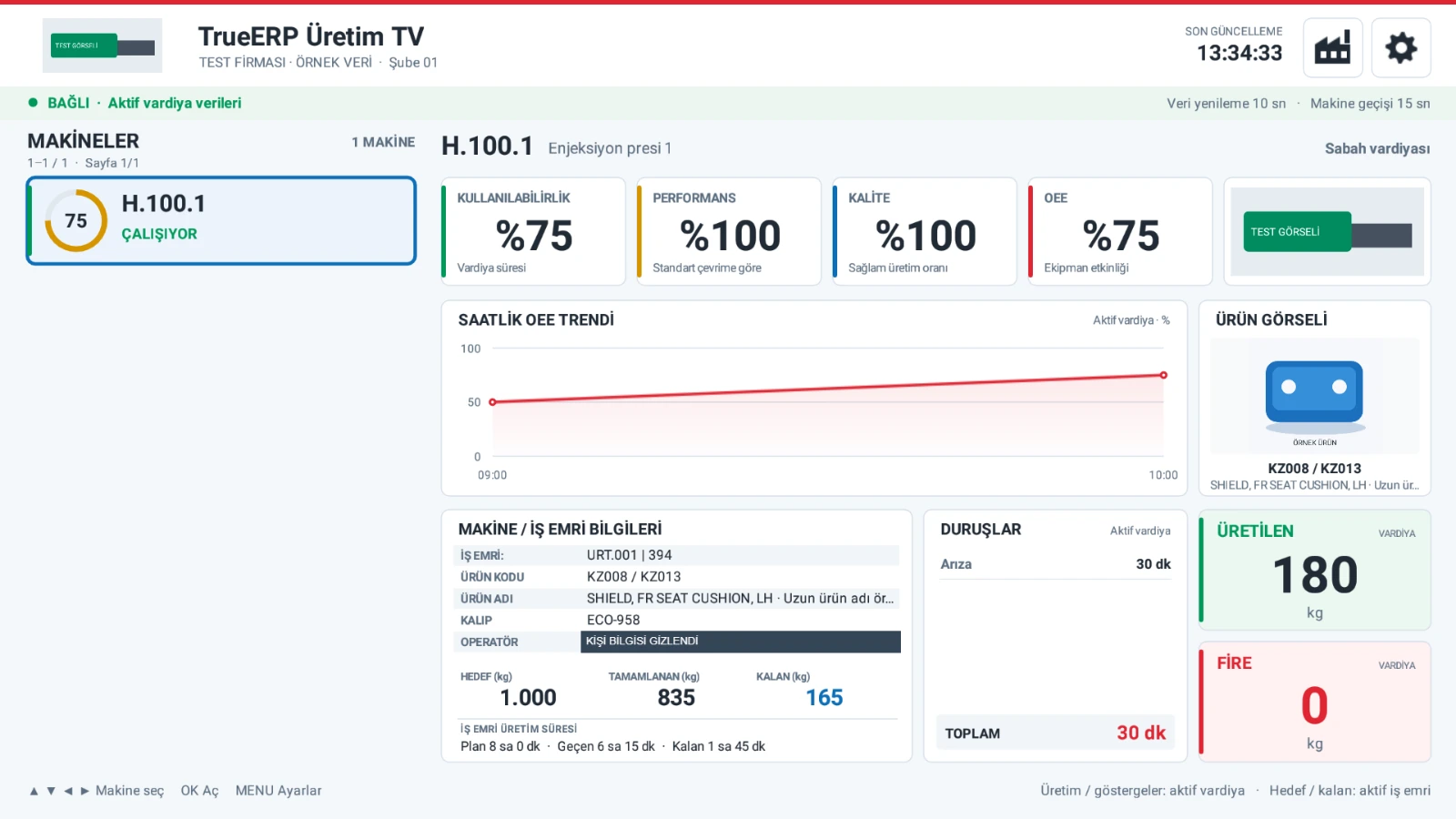
Machine status, OEE, production and downtime on one screen. Teams can follow the shift from a shared view.

TrueERP Production TV · Dashboard and virtual factory
Bring TrueERP production information to a shared factory screen. Monitor machine status on the dashboard and see where work is happening in your virtual factory layout.
On TV, Tablet, Phone or Computer Screens
Machine status, OEE, production and downtime on one screen. Teams can follow the shift from a shared view.
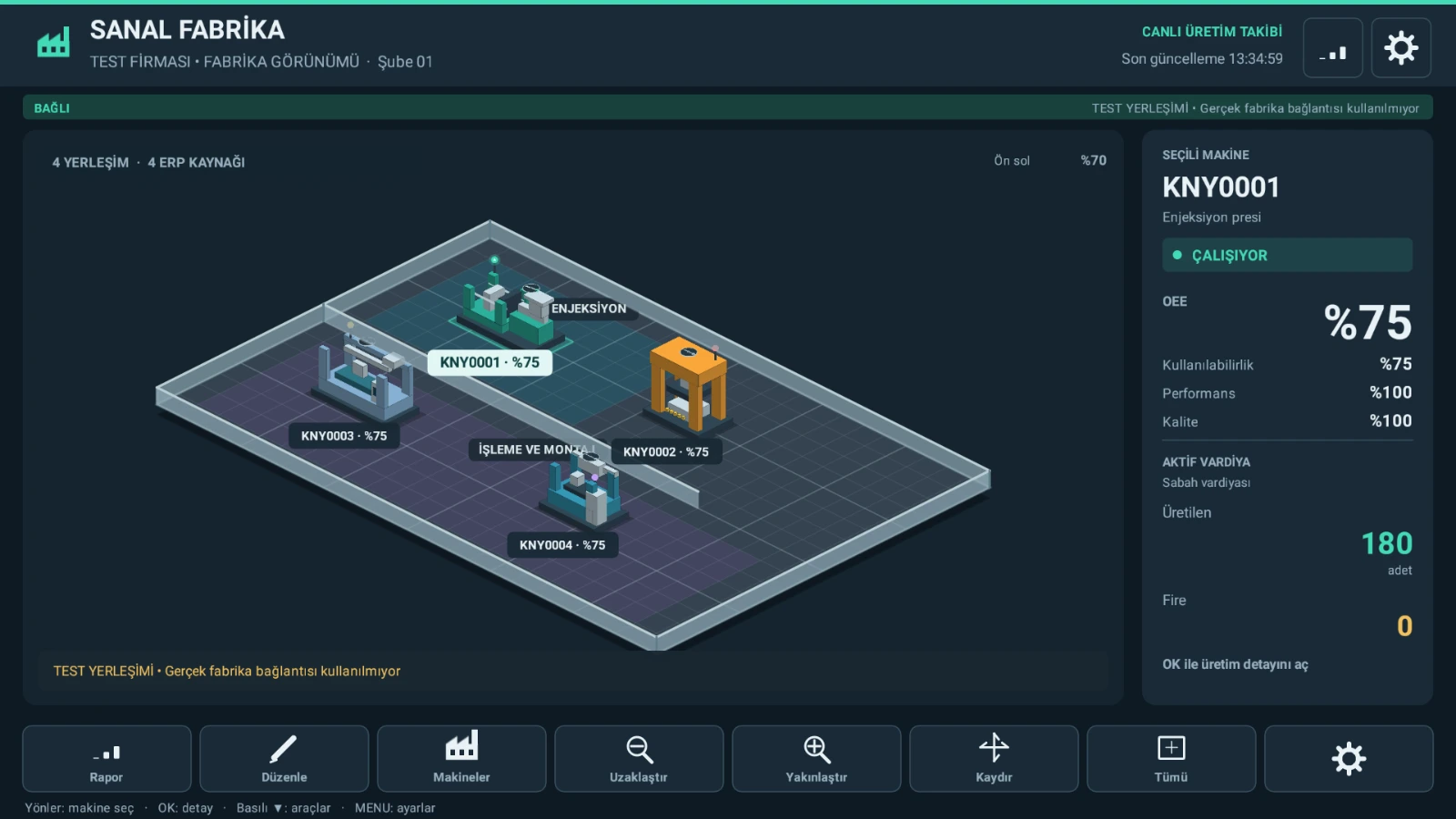
See machines in your virtual layout. Select a machine to open its production details and make shop-floor monitoring easier.
Choose the machines to monitor, the viewpoint and automatic cycling. Use a shared factory layout across screens at the same branch.
Production dashboard
Machine status on one side, details for the selected machine on the other. Review shift production, scrap and downtime alongside work order and product information.
Virtual factory
Monitor production through your factory layout. Machine codes and OEE appear on the map, with selected machine information in the side panel.
Machine movements follow the operating status recorded in ERP. Select a machine with your remote, keyboard or mouse to open its production details.
Explore TrueERP manufacturing managementUse machine labels and status indicators to see where production is running or stopped across the layout.
Review work order and production information. Your camera position is preserved when you return.
The camera follows when the selection moves beyond the visible area. Zoom, pan or fit the whole layout on screen.
A layout for your factory
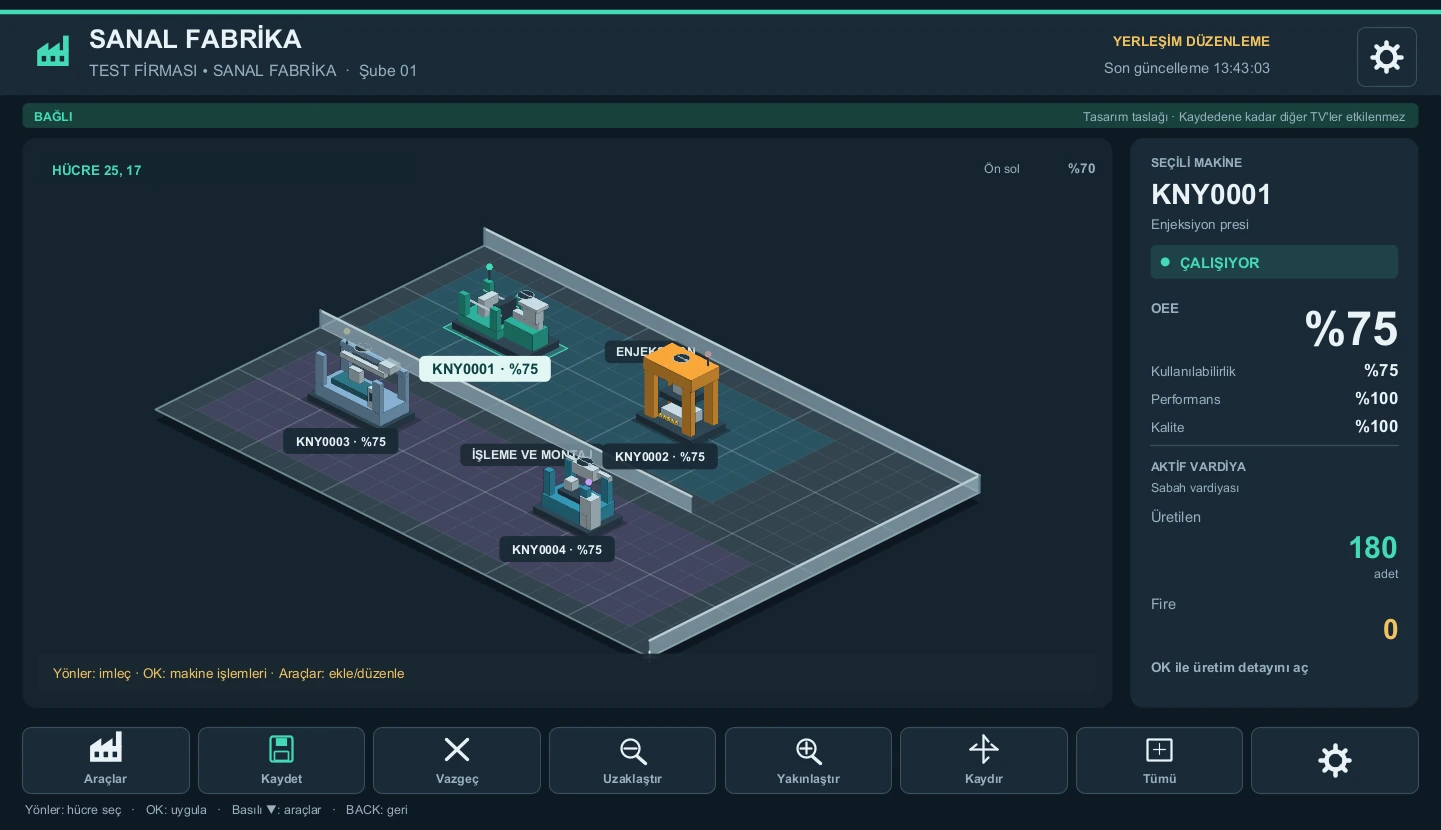
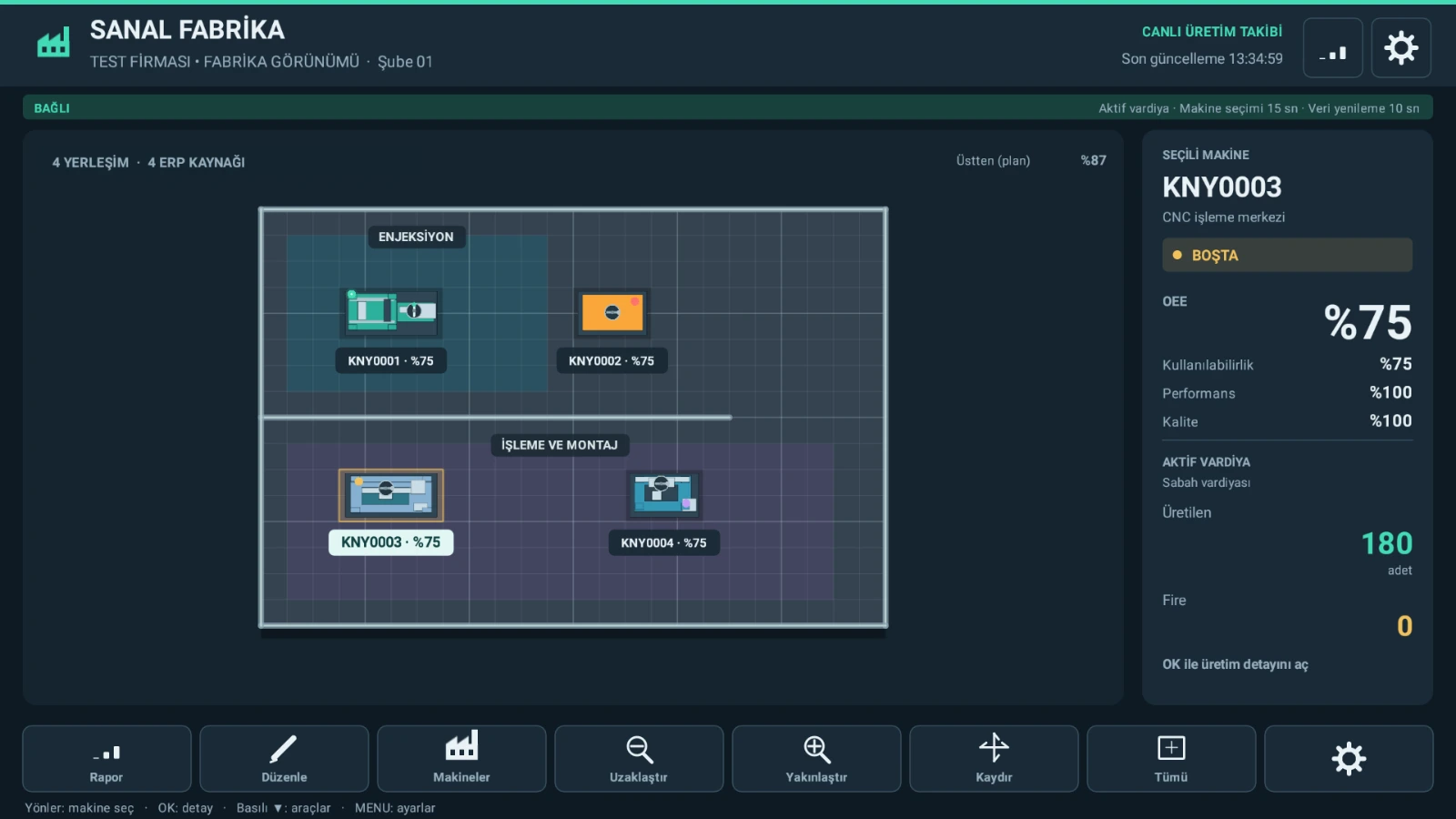
Build your layout with general machine, injection molding, press and CNC models. Move, rotate by 90 degrees and resize the models; add floors, walls and zones.
A production view for your screen
Follow production on TV, tablet, phone or computer screens. Choose display preferences to suit the screen location and the way your team works.
TV, Tablet and Phone
Monitor machine status, shift production and downtime. Select a machine to view work order and product information.
Computer
Review the production dashboard and virtual factory layout on a large screen. Explore machine details, OEE indicators and downtime reasons together.
Automatic cycling
Data normally refreshes about every 10 seconds. You can cycle the selected machine every 15 seconds and switch automatically between dashboard and factory views.
Your questions
Let’s find the right approach for your business.
It shows machine status, OEE and its components, plus production, scrap and downtime for the active shift. Machine details also bring together work order, product, mold and operator information.
Yes. Position, rotate and resize machine models on a grid. Add floors, walls and zones to create a layout that reflects your factory.
The saved factory layout is shared by screens at the same branch. Dashboard machine selections, camera settings and display preferences are stored separately on each device.
The last received data stays visible with its update time and a connection warning. Machine animations stop, and data updates when the connection returns. Previous records are therefore clearly distinguished from current production.
In a demo session, we can review your existing TrueERP installation, the machines you want to monitor and the screens you will use. You can also consult the Turkish PDF guide for setup and everyday use.
Let’s get started
Tell us about the machines you want to monitor and your factory layout. Evaluate TrueERP Production TV using the production workflow at your business.